Hospital Equipment Service Report Template Guide 2026
A technician finishes a repair, but the service note omits the asset identifier and records no test outcome. The work may be complete, yet the next person can’t tell what was checked or whether follow-up is still needed. A well-structured hospital equipment service report template turns each intervention into a traceable maintenance record, helping staff understand the work and decide what needs to happen next.
Consistent documentation matters when service notes vary between technicians and equipment types. A practical template should make it easy to identify the asset, describe the reported issue, record work and checks, and assign any outstanding actions. It should also distinguish what was done from what remains unresolved, without forcing every asset into prompts that don’t apply.
This guide covers the fields to include, how to record test results and parts used, and how to make follow-up actions clear. It also explains how to fit the report into your facility’s asset-management workflow and adapt it for specialised equipment. The aim is a reusable format that supports clear handovers and useful service histories, while leaving technical requirements to the relevant manufacturer instructions and local procedures.
Table of Contents
What a Hospital Equipment Service Report Template Should Do
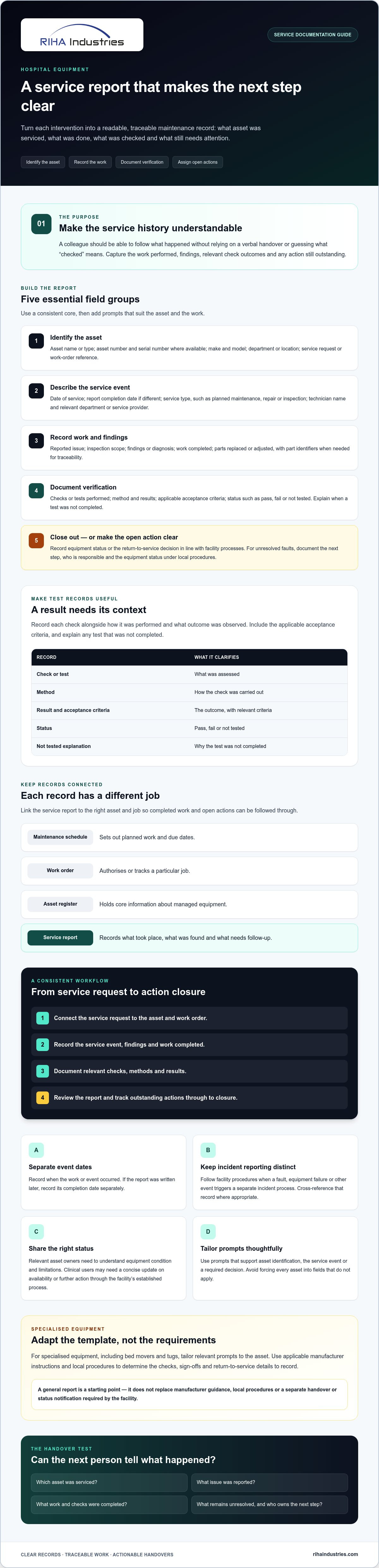
A useful hospital equipment service report template creates a dated, readable record of what happened to an asset during a service event. It captures the work performed, the technician’s findings, the outcome of relevant checks and any action still outstanding. A colleague should be able to follow the service history without relying on a verbal handover or guessing what an entry such as “checked” means.
The report has a different purpose from related maintenance records. A maintenance schedule sets out planned work and due dates. A work order authorises or tracks a particular job, while an asset register holds core information about equipment under management. The service report records what took place and what was found. Used together, these records help teams connect the job to the asset, trace completed work and follow up on open actions.
Requirements vary by asset and facility. Use local procedures and applicable manufacturer instructions to decide which checks, sign-offs and return-to-service details belong in the report. A general form is a starting point, not a substitute for those requirements. If a field doesn’t help identify the asset, explain the service event or support a required decision, consider whether it needs to be part of the core template.
Who uses a hospital equipment service report?
Technicians use the report to document work and communicate findings and test outcomes. Biomedical engineering teams and maintenance managers can review service history, monitor open actions and coordinate the next step. Relevant asset owners use it to understand the equipment’s condition and any limitations that affect its use. These roles sit within the broader field of Clinical engineering, which focuses on managing healthcare technology in clinical settings.
Clinical users may need a concise status update, such as whether equipment is available for use or awaiting further action. Share that information through the facility’s established process. The full technical report may not replace a separate handover or status notification required by local procedure.
When should a service report be completed?
Complete a report for planned preventative maintenance, breakdown repairs, inspections and post-service checks. Record the date the work or event occurred, as well as the report completion date if it was written later. Keeping those dates separate makes the sequence clear when review or follow-up happens after the technician’s visit.
Routine servicing should also be distinguished from an incident that requires separate facility reporting. If a fault, equipment failure or other event triggers an incident process, follow local procedures and cross-reference the relevant record where appropriate. The service report should document the technical work without replacing that separate process.
Hospital Equipment Service Report Template: Essential Fields to Include
A practical hospital equipment service report template should identify the asset and service event, explain the work done, capture relevant verification and make the next action clear. Treat the fields below as a flexible starting point. Establish a consistent core for facility records, then add equipment-specific prompts only when they support the work. Follow local procedures and manufacturer instructions when deciding which fields and checks are required.
Copy-ready service report field checklist
Identification: Asset name or type; asset number and serial number, where available; make and model; department or location; service request or work-order reference.
Service event: Date of service; report completion date if different; service type, such as planned maintenance, repair or inspection; technician name and relevant department or service provider.
Work and findings: Reported issue; inspection scope; findings or diagnosis; work completed; parts replaced or adjusted, with part identifiers when needed for traceability.
Verification: Checks or tests performed; method and results; any applicable acceptance criteria; status such as pass, fail or not tested, with an explanation where useful.
Close-out: Equipment status or return-to-service decision, recorded in line with facility processes; unresolved faults; recommended follow-up, assigned responsibility and target date; required review or sign-off.
Asset, service event and technician details
Use identifiers that let another staff member match the report to the correct item. A location or description alone may not be enough, especially if similar equipment is used in the same department. Check the asset number or serial number against the facility record where available, and include the service request or work-order reference so the report can be traced to the job.
Include operating hours, usage data or configuration only when relevant and available. A computerized maintenance management system can help organise service history; consistent asset identifiers make reports easier to connect with the wider record. Avoid creating a second, conflicting asset identity in the report.
Work performed, findings and parts
Describe the reported issue and the work in plain, specific language. For example, identify the component inspected and the adjustment made rather than writing only “checked” or “serviced”. Where a part is replaced, record its identifier when that information is needed to trace the repair. If a photograph or supporting document helps explain a finding or show completed work, attach it and refer to it in the report.
Keep the core form focused. Optional prompts might cover measurements, operating conditions or equipment configuration, but add them only when the asset and service scope call for them. Avoid recording patient names or other sensitive personal information unless facility policy requires it for a defined purpose. A clear, appropriately scoped record supports maintenance teams without collecting details they don’t need.
For facilities maintaining specialised equipment, RIHA Industries provides preventative maintenance and repairs for its bed movers and tugs. See RIHA equipment service information for details relevant to that equipment.
How to Record Tests, Results and Unresolved Equipment Faults
Clear verification notes show what was checked and what the result means. In a hospital equipment service report template, record the check performed, the method used, the result and any applicable acceptance criteria. Use the manufacturer’s instructions or facility procedure to determine the appropriate test and criteria for that asset. Don’t apply measurements or pass limits from one equipment type to another.
How should technicians document service checks?
Write each result so another technician can interpret it without asking what “tested OK” means. Record readings with units and relevant conditions when the equipment or procedure requires them. Where applicable, identify the instruction, facility procedure or test method used. Mark each check as pass, fail, not tested or not applicable, and explain a “not tested” or “not applicable” result so the next reader understands the gap.
A short entry can still be useful if it answers three questions: what was checked, how was it checked, and what was the result? Add more detail when a result is outside the applicable criteria, a check could not be completed or the finding affects follow-up.
Use one row per check where practical, so a failed result doesn’t get lost in a general summary. State what failed and how the observed result differs from the applicable criterion. If a check couldn’t be completed, record why and what action is needed next, rather than leaving the result blank.
What belongs in the fault and follow-up section?
Describe any unresolved fault, safety concern or operating limitation in specific terms. Identify the affected check and explain why it remains incomplete, if relevant. Then record the next action, an owner and a target date in line with the facility’s workflow. For example, distinguish a repair still to be completed from a result that needs review. Clear assignment helps prevent an open issue from disappearing between service visits.
Record equipment status and escalation using terminology approved by the facility, such as its defined categories for restricted use or removal from service. State the decision and any escalation made, but don’t imply that the technician or report author has authority to release equipment unless that authority is established by local process. Leave the final decision to the designated role under facility procedures, and document the outcome through the required channel.
How to Use the Service Report Template in a Hospital Maintenance Workflow
A report is most useful when it moves through the same workflow as the service request, asset record and follow-up actions. A hospital equipment service report template can support this process, but it shouldn’t sit apart from facility procedures or be treated as proof of compliance on its own. Agree who completes, reviews and stores each report, then apply that process consistently.
A practical service-report workflow
Open or reference the service request. Confirm the asset identity against the facility record before work begins. Add the relevant request or work-order reference so the completed report can be connected to the job.
Document work as it happens. Record the service activity, checks and results while details are clear. If the scope changes or a check can’t be completed, capture the reason and resulting follow-up.
Review, assign and store. Check that key fields are complete, outstanding actions have an owner and target date, and equipment status is recorded according to local processes. Store the report alongside the relevant asset and service records where authorised staff can retrieve it.
Close the loop. Track assigned actions through to completion and update the asset history when the workflow requires it. A report shouldn’t be considered administratively closed just because the technician has finished the visit.
Keep core fields consistent across the facility, including asset identification, service date, work performed and close-out. Add prompts for particular asset classes only when they reflect relevant manufacturer guidance, facility procedures or service requirements. This lets a report suit different equipment without making records difficult to compare.
Review recurring faults, repeat visits and pending actions as part of maintenance planning. These patterns can help teams decide what needs attention, but documentation alone doesn’t establish compliance. Make sure decisions and any resulting changes follow the facility’s established process.
How to compare paper, editable and digital report formats
Choose a format that fits the team’s actual process. Paper forms may be straightforward to complete on site, but teams need a reliable filing and retrieval method. Editable documents are easy to adapt, though uncontrolled copies can lead to inconsistent fields or outdated versions. Digital forms can make searching and linking records easier when they fit existing systems, but check how they retain attachments, photographs, approvals and changes to the record.
Before selecting a format, confirm that authorised staff can access completed reports alongside asset information, and that the approach aligns with facility requirements for storage and record keeping. Keep the current template version identifiable. Avoid duplicate records that leave uncertainty about which report is authoritative.
For facilities managing RIHA bed movers or tugs, consistent service records can support communication about completed work and pending actions. Explore RIHA equipment servicing support for information about preventative maintenance and repairs for this specialised equipment.
Adapt the Template for Specialised Equipment and Ongoing Service Support
A flexible hospital equipment service report template should keep its core fields stable while allowing relevant prompts to vary by asset type. For specialised equipment, use the manufacturer’s instructions and the scope of the service to decide what information belongs in the record. Don’t copy test limits, inspection intervals or checks from another asset category simply because they appear on an existing form.
Example adaptations for bed movers and equipment tugs
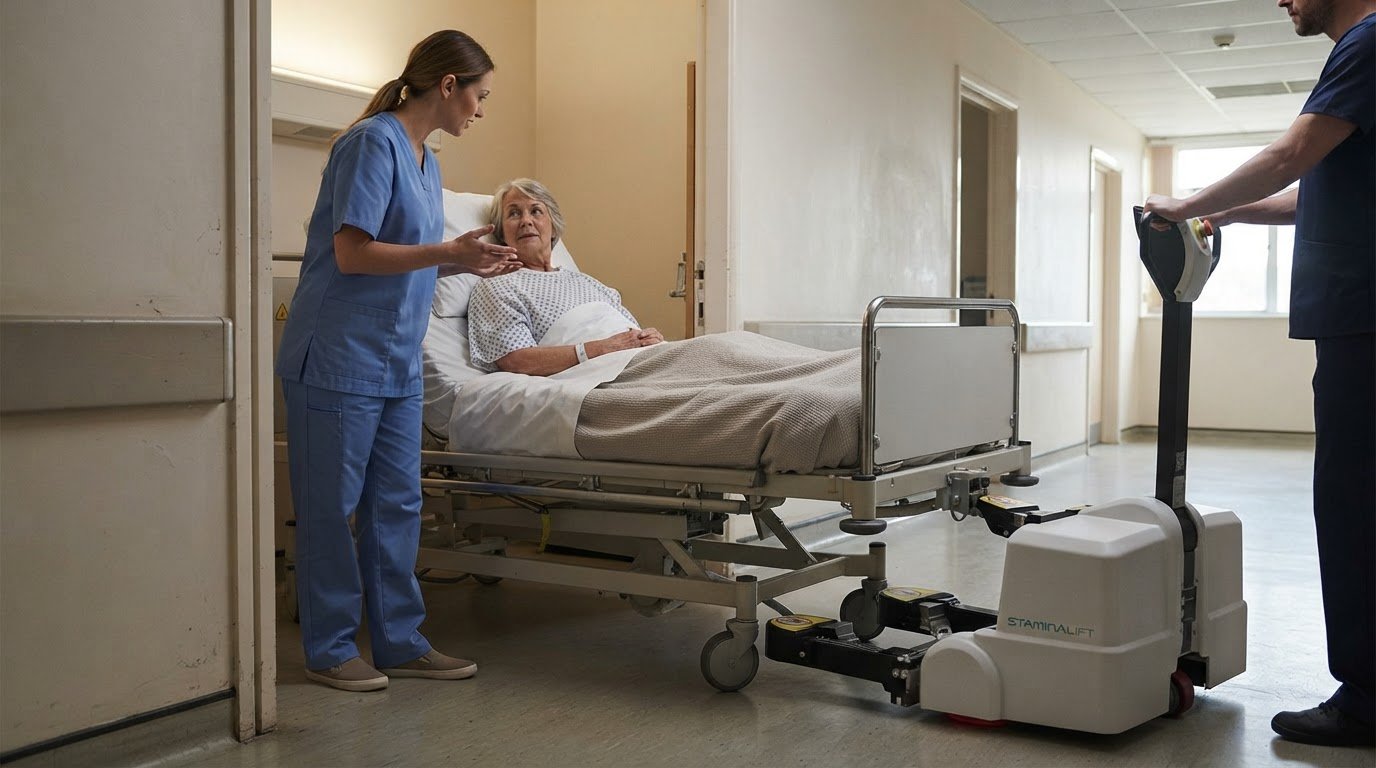
Bed movers and tugs show why a shared report structure needs equipment-specific detail. Retain common fields such as asset identification, service date, reported issue and technician, then add prompts that help describe the work and relevant checks for that equipment. Depending on the service scope, this could mean recording which component or attachment was inspected or adjusted, what check was completed and the result. Use approved instructions and local procedures to determine the method and criteria, rather than treating a template prompt as a maintenance instruction.
For product context, see the StaminaLift 5000 buying guide. RIHA Industries provides preventative maintenance and repairs for its specialised equipment, including its bed movers and tugs. This is equipment-specific support, not general servicing for every category of hospital asset.
Keep maintenance records useful after the service visit
A completed report should feed back into the facility’s authorised asset-management process. Link service findings to the relevant asset record, and carry unresolved actions forward through the approved workflow so they can be assigned, reviewed and closed. Over time, consistent records can help maintenance teams identify recurring issues and consider them in service planning. Any resulting decisions should still follow facility processes and applicable manufacturer guidance.
For information on ongoing service planning for bed movers, read the hospital bed mover repair service guide. Keep the form practical by trialling it with the authorised technicians, asset owners and reviewers who use it. Ask where prompts are unclear, duplicated or missing, then refine fields through the appropriate facility review process. Confirm that changes remain aligned with local procedures and manufacturer instructions.
Facilities seeking support with RIHA equipment can contact RIHA Industries to discuss preventative maintenance and repairs for its specialised equipment.
Make Every Service Record Work for the Next Step
A reliable hospital equipment service report template connects each service event to a clear record of what was done, what the checks showed and what still needs attention. Keep core fields consistent, tailor prompts to the equipment and service scope, and use the facility’s approved process to review and close outstanding actions. These habits make service histories easier to follow and handovers easier to understand.
For specialised equipment, records should reflect applicable manufacturer instructions and local procedures. RIHA Industries provides preventative maintenance and repairs for its specialised equipment, with national service coverage across Australia. Replacement parts can be shipped worldwide within 24 hours.
If your facility uses RIHA bed movers or tugs, explore RIHA Industries’ equipment servicing and support. Start with a practical template, gather feedback from the people who use it, and refine it through authorised teams. Contact RIHA Industries to discuss preventative maintenance and repair support for its specialised equipment.
Frequently Asked Questions
What should a hospital equipment service report include?
A useful report identifies the asset and service event, then records the reported issue, work performed and relevant checks and results. Include technician details, service and completion dates, parts or adjustments, unresolved faults and follow-up actions. Adapt optional fields to the equipment type and service scope. Use manufacturer instructions and facility procedures to determine which checks, sign-offs and status details apply, rather than assuming one form suits every asset.
How do I create a hospital equipment service report template?
Start by listing what technicians and reviewers need to identify the asset and understand the service request. Add clear sections for work performed, checks, outcomes, faults and follow-up, with space for an action owner where needed. Trial the hospital equipment service report template with the people who complete and review it. Refine unclear or redundant fields, then confirm the format fits local procedures and applicable manufacturer instructions before wider use.
Is a hospital equipment service report the same as a maintenance checklist?
No. A maintenance checklist guides someone through specified inspection or maintenance steps; a service report documents what happened during a particular service event. The report can refer to a completed checklist and record results, exceptions or further action. Facilities may use both, but should keep their purposes distinct. Follow the equipment’s applicable instructions and local processes when deciding which checklist or report fields are appropriate.
What should a technician record when equipment fails a service check?
Record the check performed, the observed result and any relevant measurement or condition, then describe the fault and work completed. State what remains unresolved, why any check could not be completed, and who needs to follow up. Record equipment status and escalation using the facility’s approved process. Don’t assume the report author can approve a return to service; follow local procedures and the designated decision-maker’s authority.
Should hospital equipment service reports be stored digitally?
Digital reports can be easier to search, share with authorised teams and connect with asset-management workflows, but they aren’t the only option. Paper forms or editable documents may suit a facility’s existing process. Compare retrieval, access controls, version management and the handling of photographs, attachments and approvals. Whichever format you choose, establish a consistent process for completing, reviewing and storing reports in line with facility procedures.
How often should hospital equipment be serviced?
There’s no single service interval that applies to every item of hospital equipment. Follow the manufacturer’s instructions, facility procedures and any applicable requirements for the specific asset. A service report records work completed; it doesn’t set the maintenance schedule by itself. If the correct interval isn’t clear, check the equipment documentation and consult the facility’s authorised maintenance or biomedical engineering team before setting or changing a schedule.
Can one service report template cover all hospital equipment?
One template can provide consistent core fields, but technical prompts and checks vary by equipment type. Keep shared sections for asset identity, service activity, outcomes and follow-up, then tailor optional fields to the asset and service scope. Don’t transfer specialised measurements or acceptance criteria from one equipment category to another. Use relevant manufacturer instructions and facility-approved procedures to decide what each version should capture.